Windows update breaking enterprise network configurations
Table of Contents
Background
Enterprise networks often use authentication configurations such as WPA2‑Enterprise and 802.1X, rather than the WPA2/3‑Personal configurations typically used for home Wi-Fi. The issue discussed here concerns configurations using PEAP/MS‑CHAPv2 for authentication.
This primarily affects enterprise-grade networking configurations, according to the documentation and update notes currently available. In theory, this update should not affect general home Wi-Fi utilization! (i.e. WPA2/3-Personal)
Main issue
Another Windows update, another broken network configuration…
“At least it wasn’t on a Friday…” - User on Reddit
Update KB5127648 is reportedly affecting WPA2‑Enterprise networking (802.1X PEAP/MS‑CHAPv2), resulting in connectivity failures. This update was released exactly at 10:00 AM Pacific Time (PST/PDT) on October 13th 2026 (Patch Tuesday) .
According to multiple reports in PC Help Hub, r/techsupport discord server, and Microsoft support forums, the update appears to affect enterprise networking configurations by restricting NTLMv1-derived cryptography used in MS‑CHAPv2 authentication. This may affect services such as Wi-Fi, wired Ethernet using 802.1X, and VPNs that rely on the affected authentication configuration.
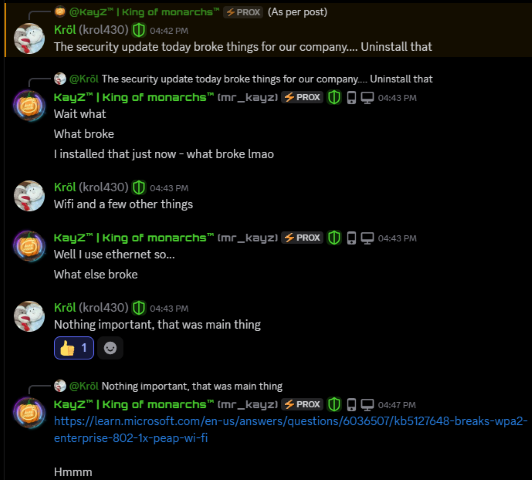
Naturally, tightening authentication restrictions can cause problems for configurations that still depend on what is being restricted. Another exciting day in enterprise networking.
Symptoms and diagnosis
- Connectivity failures after installing KB5127648 on systems using WPA2‑Enterprise with 802.1X PEAP/MS‑CHAPv2.
- Potential authentication failures affecting other services using the same authentication configuration, such as wired Ethernet using 802.1X or VPNs.
- There are also potential reports, unverified at the time of writing, of home users being unable to connect to their own routers.
- These reports currently lack sufficient detail to establish whether they are related to the enterprise authentication issue.
- General reports of “My Wi-Fi isn’t working!” do not provide enough information to identify the cause. Understandable, but unfortunately not quite a diagnosis.
Potential explanations for home-user reports
Playing the Devil’s advocate, and assuming home users are affected in some way, a few potential explanations come to mind:
- Coincidental driver issues: Intel, Qualcomm, Realtek, or MediaTek drivers may have encountered a separate compatibility issue with the update. Apparently, enterprise authentication does not need to have a monopoly on broken networking.
- WLAN network profile corruption: The update may have exposed pre-existing WLAN configuration issues.
- Enterprise-like configurations used at a user level: Some home or ISP-managed networks may use enterprise authentication configurations, potentially involving WPA2‑Enterprise and services such as FreeRADIUS or NPS. These could make an otherwise home-user setup susceptible to the PEAP/MS‑CHAPv2 issue.
These are potential explanations, not confirmed causes. The available reports do not currently establish that standard WPA2/3‑Personal home networks are affected by the same issue.
Potential solutions
Currently reported workarounds are:
- Uninstalling the update entirely.
- Setting a DWORD value named
BlockNtlmv1SSOto0underHKLM\SYSTEM\CurrentControlSet\Control\Lsa\MSV1_0in the registry.
These should be treated as temporary workarounds rather than permanent fixes. Uninstalling a security update or relaxing authentication restrictions has security implications, so changes to managed systems should be coordinated with the responsible IT administrator.
Contact your Internet Service Provider If you are wary of messing around in registry, its best to contact your Internet Service Provider (ISP) to resolve this issue as fast as possible.